Add LUT, IEC, and Udyam Details to Invoices
New Feature
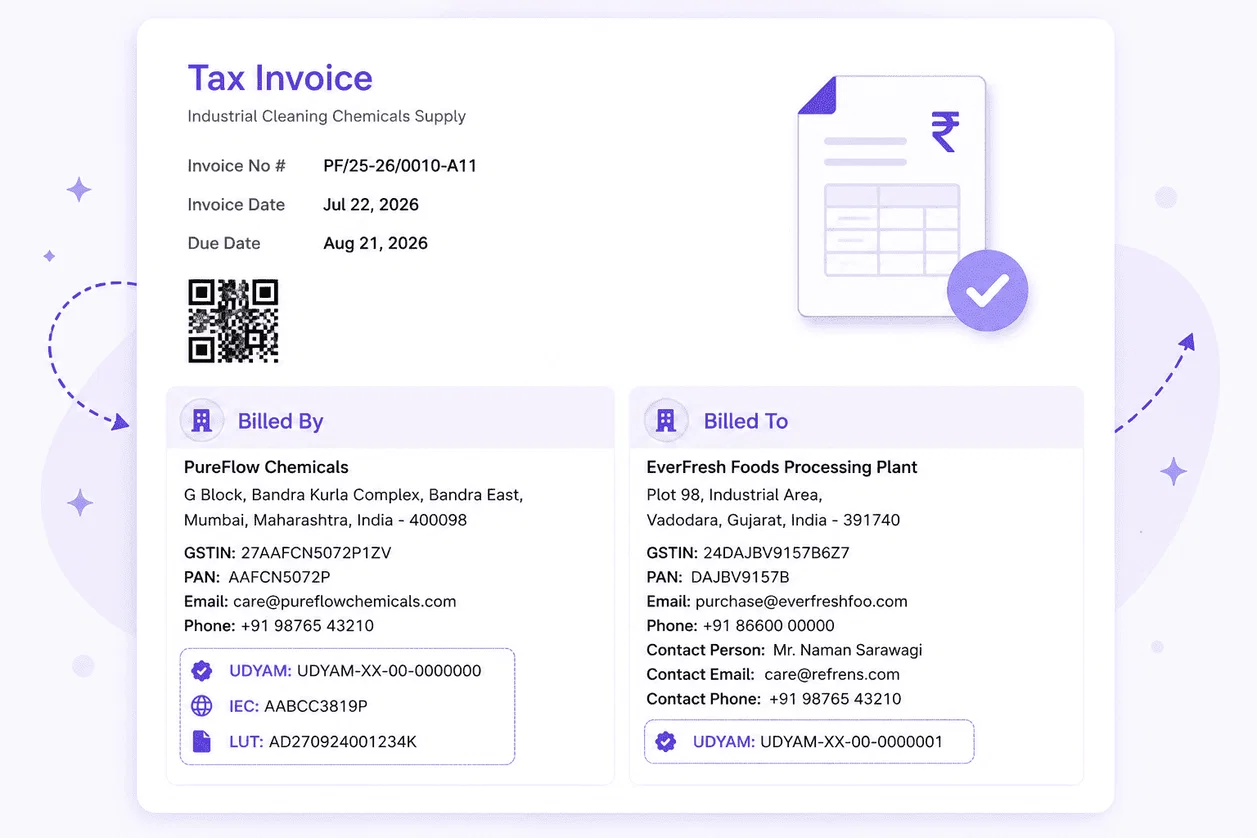
Now add Udyam, LUT, and IEC details using dedicated fields in Refrens and display them on invoices - without creating custom fields:
Key Updates
• Udyam Number: Add it for your own business as well as for clients and vendors.
• LUT and IEC: Add these details for your own business under Additional IDs.
• Invoice visibility: You can choose whether these IDs should be shown on invoices.
• Field validation: Refrens validates the format of each ID to help prevent incorrect entries.
• Optional: Udyam, LUT, and IEC are all optional to add.
How to add them:
While creating documents, just go to the Billed To/Billed By Section > Edit > Tax Information > Add Additional IDs.
10