Automatically Send Documents for Approval Based on Item Prices 🔍
New Feature
Ensure every price exception gets a manager’s review.
If a team member creates a document with an item priced below its configured selling price, Refrens can now automatically send it to the designated approver for review.
This helps you maintain control over pricing while letting documents that meet your selling prices skip routine approvals.
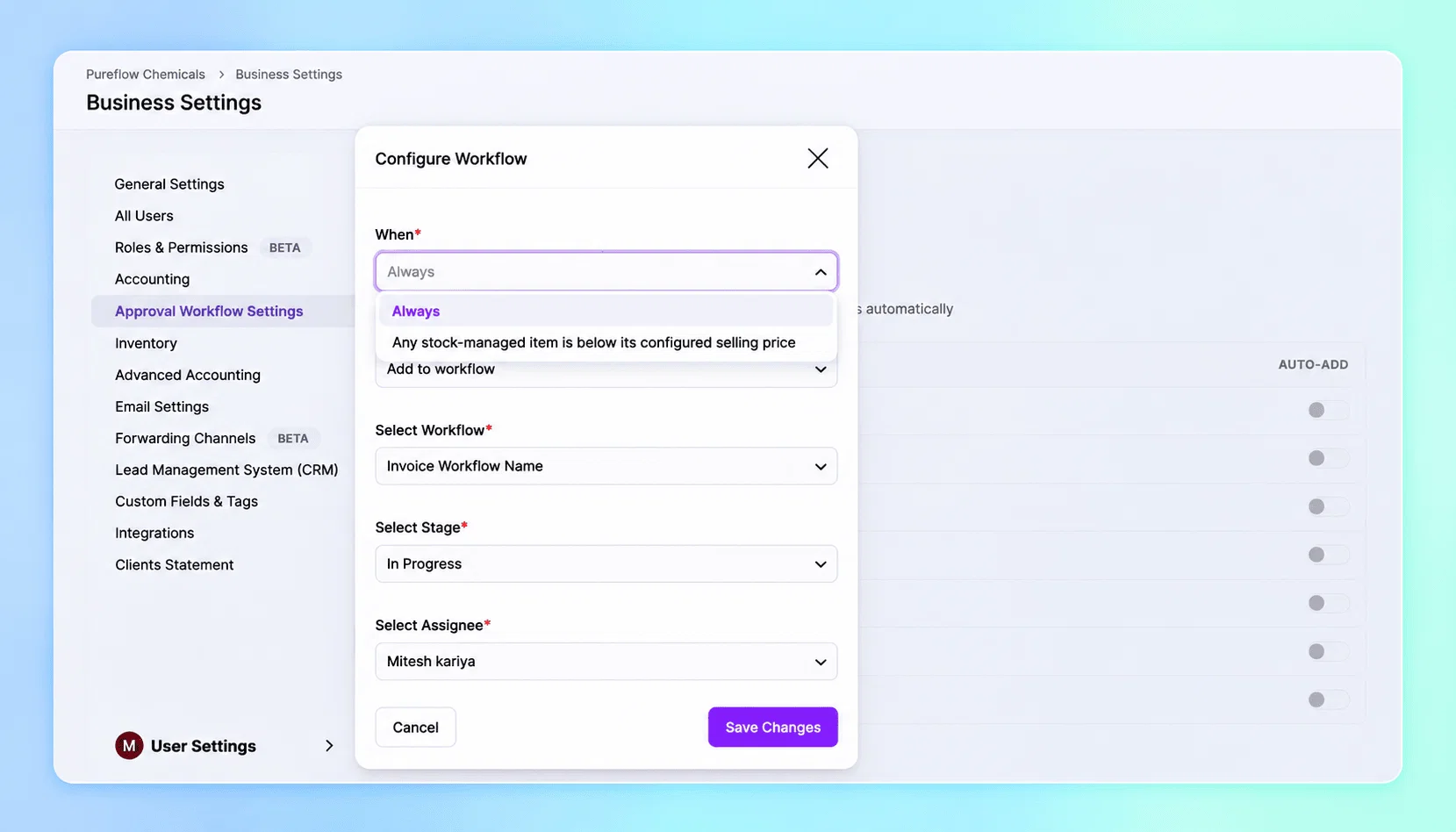
How does it work?
Refrens compares each stock-managed item’s unit price after its item-level discount and before tax with the selling price saved in your inventory.
For example, if an item’s configured selling price is ₹100:
- Selling it at ₹90 sends the entire document for approval.
- Selling it at ₹100 or more skips the workflow, provided all other stock-managed items also meet their configured selling prices.
Try it out, or reach out to your account manager for a quick walkthrough!
12