Route Shopify Orders to Different Businesses
New Feature
Businesses operating across multiple Indian states can now map Shopify orders to different Refrens businesses based on the customer’s shipping state:
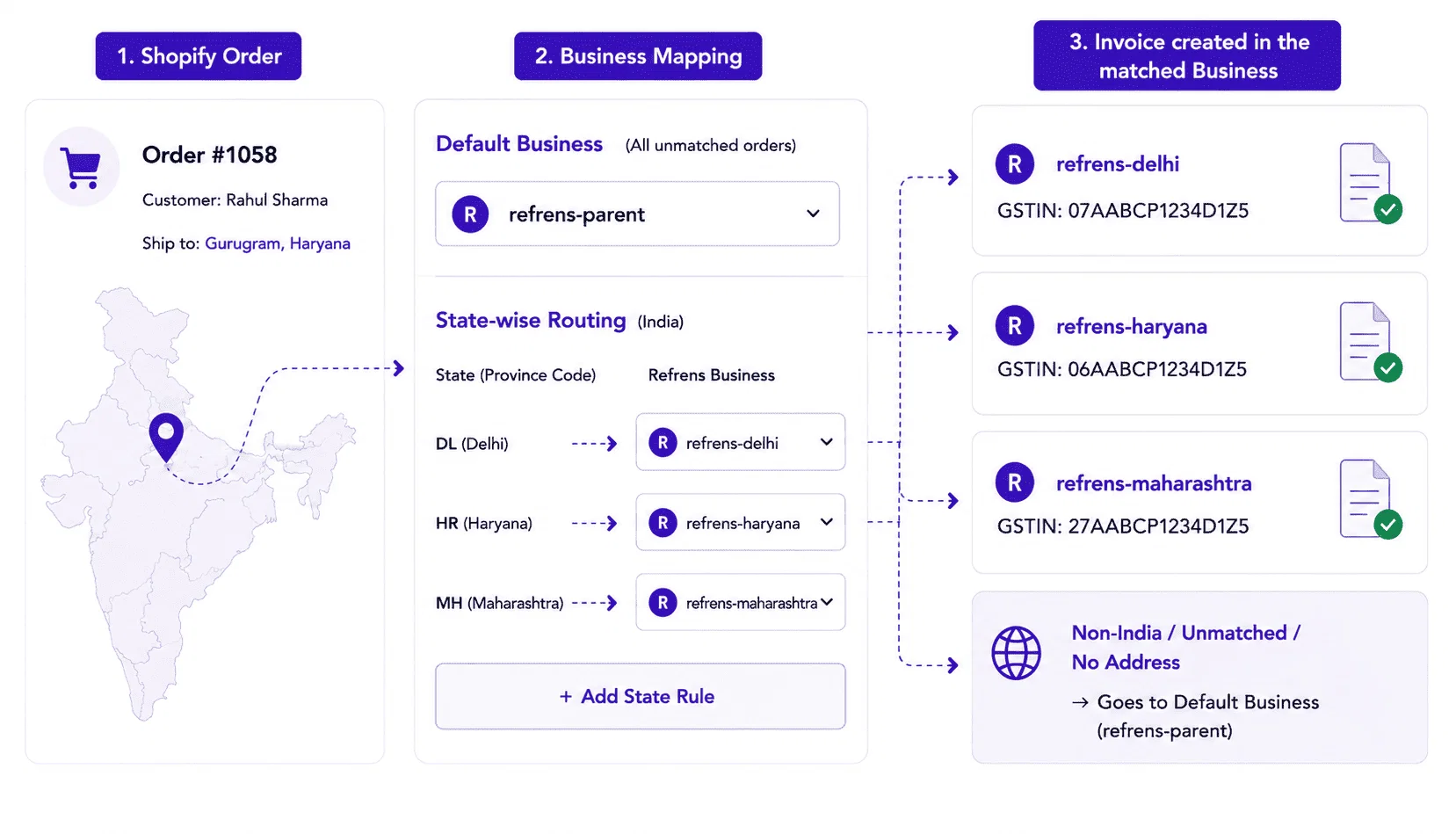
With Business Mapping, you can:
- Select a default Refrens business for all unmatched, non-India, or address-missing orders.
- Create state-wise routing rules, such as Delhi → Delhi business and Haryana → Haryana business.
- Connect multiple Refrens businesses to the same Shopify store.
- Automatically create invoices in the business mapped to the customer’s shipping state.
- Ensure payments, refunds, cancellations, and credit notes continue to be recorded in the same business where the original invoice was created.
How to set it up:
Open the Refrens app in Shopify → go to Configurations → Business Mapping → select the Default Business → add state-wise routing rules → save the configuration.
4